使用Gradle发布项目到JCenter仓库
转自:http://www.jcodecraeer.com/a/anzhuokaifa/Android_Studio/2015/0227/2502.html
这篇文章介绍通过Gradle把开源项目发布到公共仓库JCenter中,方便你我他的事情,我们都是很懒的嘛。JCenter现在是Android Studio中repositories的默认节点了,之前是Maven的,不过JCenter是兼容Maven的,所以放心使用。步骤基本是按Publishing Gradle Android Library to jCenter Repository这里来的,英文能看的直接看这篇也行。下面我的步骤正式开始,发布到JCenter仓库的是我的项目:BounceProgressBar。
申请Bintray账号
Bintray的基本功能类似于Maven Central,一样的我们需要一个账号,Bintray传送门,注册完成后第一步算完成了。
生成项目的JavaDoc和source JARs
简单的说生成的这两样东西就是我们在下一步中上传到远程仓库JCenter上的文件了。这一步需要android-maven-plugin插件,所以我们需要在项目的build.gradle(Top-level build file,项目最外层的build.gradle文件)中添加这个构建依赖,如下:
|
1
2
3
4
5
6
7
8
9
10
11
12
13
14
15
16 |
`buildscript {`
` ``repositories {`
` ``jcenter()`
` ``}`
` ``dependencies {`
` ``classpath ``'com.android.tools.build:gradle:1.0.0'`
` ``classpath ``'com.github.dcendents:android-maven-plugin:1.2'`
` ``// NOTE: Do not place your application dependencies here; they belong`
` ``// in the individual module build.gradle files`
` ``}`
`}`
`allprojects {`
` ``repositories {`
` ``jcenter()`
` ``}`
`}`
|
|
1
2
3
4
5
6
7
8
9
10
11
12
13
14
15
16
17
18
19
20
21
22
23
24
25
26
27
28
29
30
31
32
33
34
35
36
37
38
39
40
41
42
43
44
45
46
47
48
49
50
51
52
53
54
55
56
57
58
59
60
61
62
63
64
65
66
67
68
69
70
71
72
73
74
75
76
77
78
79
80
81
82
83
84
85
86
87
88
89
90
91
92 |
`apply plugin: ``'com.android.library'`
`apply plugin: ``'com.github.dcendents.android-maven'`
`apply plugin: ``'com.jfrog.bintray'`
`// This is the library version used when deploying the artifact`
`version = ``"1.0.0"`
`android {`
` ``compileSdkVersion 21`
` ``buildToolsVersion ``"21.1.2"`
` ``resourcePrefix ``"bounceprogressbar__"` `//这个随便填`
` ``defaultConfig {`
` ``minSdkVersion 9`
` ``targetSdkVersion 21`
` ``versionCode 1`
` ``versionName version`
` ``}`
` ``buildTypes {`
` ``release {`
` ``minifyEnabled ``false`
` ``proguardFiles getDefaultProguardFile(``'proguard-android.txt'``), ``'proguard-rules.pro'`
` ``}`
` ``}`
`}`
`dependencies {`
` ``compile fileTree(dir: ``'libs'``, include: [``'*.jar'``])`
` ``compile ``'com.nineoldandroids:library:2.4.0+'`
`}`
`def siteUrl = ``'[https://github.com/zhengxiaopeng/BounceProgressBar](https://github.com/zhengxiaopeng/BounceProgressBar)'` `// 项目的主页`
`def gitUrl = ``'[https://github.com/zhengxiaopeng/BounceProgressBar.git](https://github.com/zhengxiaopeng/BounceProgressBar.git)'` `// Git仓库的url`
`group = ``"org.rocko.bpb"` `// Maven Group ID for the artifact,一般填你唯一的包名`
`install {`
` ``repositories.mavenInstaller {`
` ``// This generates POM.xml with proper parameters`
` ``pom {`
` ``project {`
` ``packaging ``'aar'`
` ``// Add your description here`
` ``name ``'Android BounceProgressBar Widget'` `//项目描述`
` ``url siteUrl`
` ``// Set your license`
` ``licenses {`
` ``license {`
` ``name ``'The Apache Software License, Version 2.0'`
` ``url ``'[http://www.apache.org/licenses/LICENSE-2.0.txt](http://www.apache.org/licenses/LICENSE-2.0.txt)'`
` ``}`
` ``}`
` ``developers {`
` ``developer {`
` ``id ``'zhengxiaopeng'` `//填写的一些基本信息`
` ``name ``'Rocko'`
` ``email ``'zhengxiaopeng.china@gmail.com'`
` ``}`
` ``}`
` ``scm {`
` ``connection gitUrl`
` ``developerConnection gitUrl`
` ``url siteUrl`
` ``}`
` ``}`
` ``}`
` ``}`
`}`
`task sourcesJar(type: Jar) {`
` ``from android.sourceSets.main.java.srcDirs`
` ``classifier = ``'sources'`
`}`
`task javadoc(type: Javadoc) {`
` ``source = android.sourceSets.main.java.srcDirs`
` ``classpath += project.files(android.getBootClasspath().join(File.pathSeparator))`
`}`
`task javadocJar(type: Jar, dependsOn: javadoc) {`
` ``classifier = ``'javadoc'`
` ``from javadoc.destinationDir`
`}`
`artifacts {`
` ``archives javadocJar`
` ``archives sourcesJar`
`}`
`Properties properties = ``new` `Properties()`
`properties.load(project.rootProject.file(``'local.properties'``).newDataInputStream())`
`bintray {`
` ``user = properties.getProperty(``"bintray.user"``)`
` ``key = properties.getProperty(``"bintray.apikey"``)`
` ``configurations = [``'archives'``]`
` ``pkg {`
` ``repo = ``"maven"`
` ``name = ``"BounceProgressBar"` `//发布到JCenter上的项目名字`
` ``websiteUrl = siteUrl`
` ``vcsUrl = gitUrl`
` ``licenses = [``"Apache-2.0"``]`
` ``publish = ``true`
` ``}`
`}`
|
|
1
2 |
`bintray.user=your_user_name`
`bintray.apikey=your_apikey`
|
|
1 |
`gradlew install`
|
上传到Bintray
上传到Bintray需要gradle-bintray-plugin的支持,所以在最外层的build.gradle里添加构建依赖:
|
1
2
3
4
5
6
7
8
9
10
11
12
13
14
15
16
17 |
`buildscript {`
` ``repositories {`
` ``jcenter()`
` ``}`
` ``dependencies {`
` ``classpath ``'com.android.tools.build:gradle:1.0.0'`
` ``classpath ``'com.jfrog.bintray.gradle:gradle-bintray-plugin:1.0'`
` ``classpath ``'com.github.dcendents:android-maven-plugin:1.2'`
` ``// NOTE: Do not place your application dependencies here; they belong`
` ``// in the individual module build.gradle files`
` ``}`
`}`
`allprojects {`
` ``repositories {`
` ``jcenter()`
` ``}`
`}`
|
|
1 |
`gradlew bintrayUpload`
|
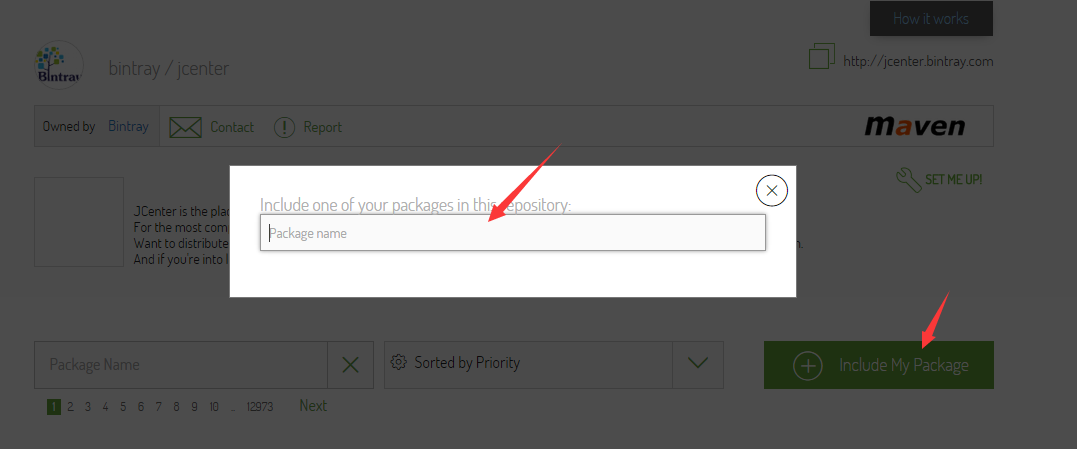
成功后就可以在其它项目里方便的使用你发布的项目了:
|
1
2
3 |
`dependencies {`
` ``compile ``'org.rocko.bpb:library:1.0.0'`
`}`
|
End